Control real analog gear straight from your DAW with the Analog Matrix. The Analog Matrix is not an emulation! It acts as a portal, connecting your digital audio workstation to actual physical gear in real time.
Reserve a session using the calendar below, or jump straight into the Analog Matrix plugin and use equipment on demand as it is available. Note: on-demand access requires credits or an active subscription.
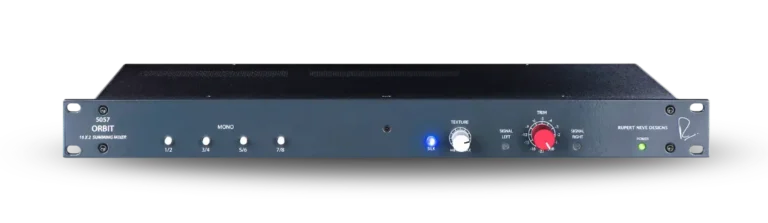
Every mix engineer who has moved from a big console to the box knows the feeling: the plugins are great, the recall is instant… and yet something is missing. That something is the mix bus. The Rupert Neve Designs 5057 Orbit packs the tone, power, and depth of a Rupert Neve console into a single rack space, drawing on six decades of Mr. Neve’s console design. Sixteen channels feed a class-A, ±21V mix bus with massive headroom, then exit through custom output transformers originally developed for the acclaimed Shelford Channel. The result is the wide, deep, glued-together sound of countless classic records, the kind of “3D” quality engineers spend years chasing with summing plugins.
The Orbit’s secret weapon is its pair of outputs. Alongside the Main Output sits a -6dB Output, which lets you drive the mix bus and transformers hard for rich, non-linear harmonics without clipping whatever comes next in the chain. Then add Silk: Silk Red lights up the highs and high-mids with the vibrant midrange sparkle of Rupert’s vintage designs, while Silk Blue saturates the lows and low-mids for thickness and weight, perfect for rescuing a thin mix. The 31-detent Texture control sets exactly how much color you get. Or switch Silk off entirely and enjoy clean, wide-open sonic beauty, with channels matched to within ±0.1dB and vanishingly low crosstalk for pinpoint stereo imaging. Tape Op’s reviewer said it made a believer out of him, and Sound On Sound called its specs high-end console territory.
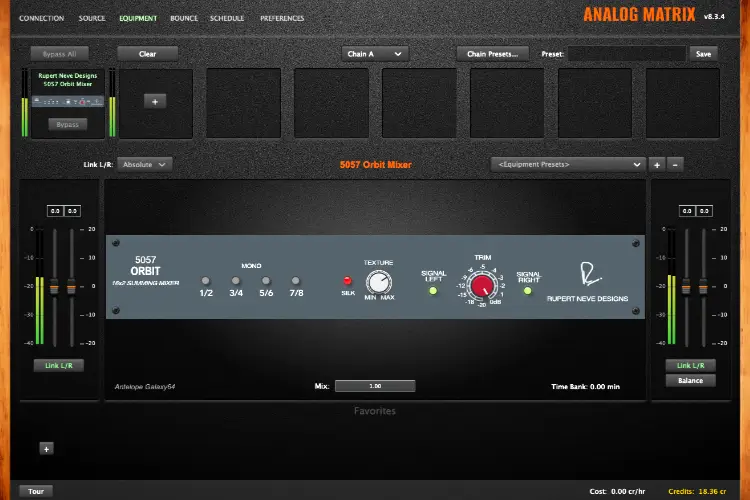
Now you don’t need a rack, a patchbay, or a console budget to hear it. With the Analog Matrix, you’re controlling the real 5057 Orbit in our studio from inside your DAW. This is not an emulation! Real transformers, real class-A summing, real harmonics. Run your stems through the Orbit to give your mix that console foundation, then pair it with other legendary Rupert Neve Designs gear in the rack, like the 5059 Satellite, the Master Bus Processor, and the Master Bus Converter, for a complete Neve-powered mix bus in the cloud.
For more information: https://rupertneve.com/products/5057-orbit
Join the ranks of top engineers and producers who swear by the Rupert Neve sound!
The 5057 Orbit is a 16-input, two-output analog summing mixer that combines your tracks or stems into a stereo mix through real Class-A circuitry. Its mix bus runs on ±21V rails for massive headroom and feeds custom Rupert Neve Designs output transformers, with Silk Red and Blue on board for variable harmonic color. It’s the sound of a Rupert Neve console mix bus, packed into a single rack space.
The Orbit is best for giving an in-the-box mix the depth, width, and weight of a console mix bus. Split your session into stems — drums, bass, guitars, keys, vocals – and the Orbit sums them to stereo through real transformers instead of your DAW’s math. Reviewers consistently report more air and more separation between instruments, and the effect grows the harder you drive it.
Analog summing combines separate tracks into a stereo mix using real electronic circuitry instead of your DAW’s mix engine. A DAW adds signals with perfect mathematical linearity; an analog mix bus responds to level and density, adding low-order harmonics and transformer character as it combines them. Engineers describe the result as depth, dimension, and glue – the qualities that made mixing on a console sound the way it did.
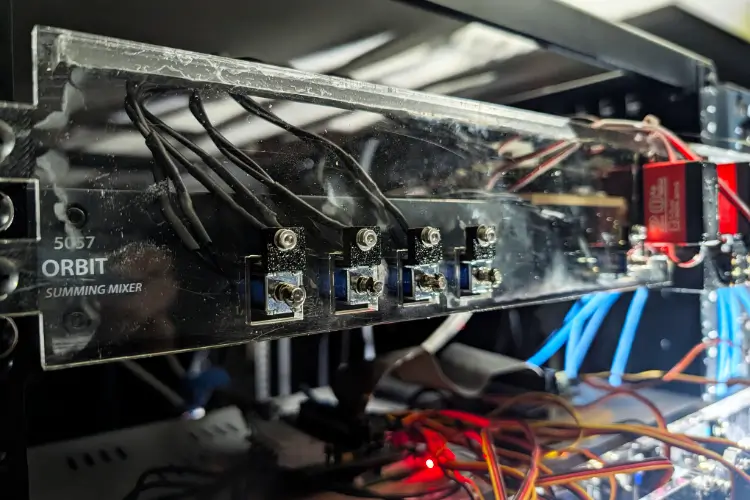
It’s the real hardware. Access Analog gives you remote, real-time control of an actual Rupert Neve Designs 5057 Orbit in our Colorado studio. The Analog Matrix plugin links your DAW to the physical unit, and robotics set the real controls to your settings, so your stems pass through a real Class-A mix bus and real Rupert Neve transformers. Real Gear. No Emulations.
No. The Orbit has no per-channel faders or pan knobs; you set levels and panning in your DAW before your stems reach it. Odd-numbered inputs feed the left side of the mix bus and even-numbered inputs feed the right, so stereo stems drop straight in as pairs. For mono sources, four Mono buttons (channels 1/2, 3/4, 5/6, and 7/8) send a channel equally to both sides at unity gain. The minimal panel is deliberate: fewer controls means effortless recall.
Silk is Rupert Neve’s harmonic-saturation circuit, and on the Orbit it colors your entire mix through the output transformer. Silk Red emphasizes saturation in the highs and high mids for presence and sparkle; Silk Blue emphasizes the lows and low mids for weight and thickness. The 31-detent Texture knob sets how much harmonic content is added – mostly second-order – and it only works when Red or Blue is engaged.
Hit it harder! The Orbit is built to be driven, and its transformer saturates more as level goes up. The -6dB Output, a tapped transformer output, lets the mix bus run hot into saturation without clipping whatever comes next in the chain, while the 12-position stepped Trim sets the final output level. Watch the signal LEDs: green means signal is present, red warns you’re within 2 dB of clipping. Add Silk on top and start low on Texture – many engineers keep it in the lower quarter of its range so the mix gains color without getting heavy.
The Orbit is the streamlined option: 16 inputs summed to stereo with no per-channel controls, so your DAW handles every level and pan decision. The 5059 Satellite adds hands-on mixing per-channel level and pan, insert points, and a second stereo mix output. Both use custom Rupert Neve Designs transformers and Silk Red and Blue, so the core tone comes from the same family; the Orbit trades console-style controls for fast recall and a DAW-first workflow.
You send your mix to the Orbit as stems through the Analog Matrix plugin, and the summed stereo mix returns to your DAW. Group your tracks into stems – drums, bass, music, vocals – and route them to the Orbit’s inputs in stereo pairs; the real unit sums them through its Class-A bus and transformers and sends the stereo result back into your session. Your levels and panning stay in your DAW, and because the Orbit’s controls are stepped, your Silk, Texture, and Trim settings are simple to recall next session.
Check out our gear prices for the latest pricing. Use it via reservations (through the calendar on the product page) or on-demand access, which runs on credits or an active subscription. New accounts get a free hour, so you can sum your own stems through the real thing before committing.